DLOOK: AI Outfit Stylist
- 4.7
- Rating
- 100.00K
- Installs
- Free
- Price

 Analysis by App-foxy
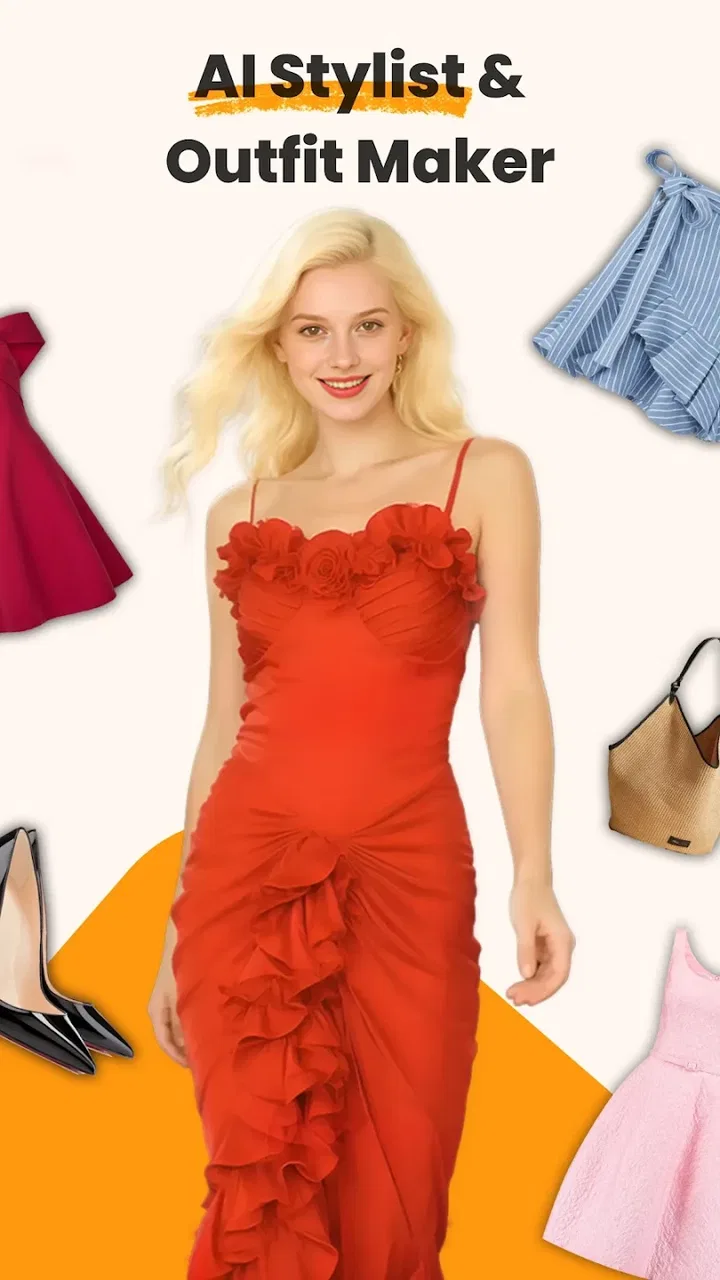
Choosing an outfit is easy when I have plenty of time, a clear idea, and a wardrobe that already makes sense together. It is much harder on a rushed weekday morning, before a dinner, or when I want to wear something I already own in a different way. That is where DLOOK: AI Outfit Stylist caught my attention. It is a free beauty app from BlazeTech LTD that focuses on personal styling, virtual outfit previews, clothing changes, and daily outfit planning rather than simply showing fashion photographs.
My first impression is that DLOOK works best as a visual decision-making aid. I would not treat it as a replacement for a professional stylist or as a perfect mirror of how clothes will look in real life. Instead, I see it as a quick way to move from “I have no idea what to wear” to “these are a few combinations worth trying.” That distinction matters, because the app’s value comes from reducing hesitation, not from guaranteeing a flawless final outfit.
From a wardrobe problem to a wearable decision
The most useful way to understand DLOOK is to follow the complete journey. I start with a practical problem: perhaps I have a pair of trousers I rarely wear, a top that looks fine on its own, or an event coming up with an unclear dress code. Rather than opening several shopping apps or scrolling through social media for inspiration, I use the app as a focused styling workspace.
You May Also Like

 Blood Strike: 2.5 Anniversary
Blood Strike’s Loadouts Turn Every Drop Into a Tactical Gamble
A close look at Blood Strike’s custom loadouts: how fast access to signature weapons reshapes its battle royale rhythm, rewards preparation, and narrows the gap between fights.

 Pandora - Music & Podcasts
Pandora’s Music Is Easy to Start, but Harder to Recover
Pandora’s strength is its low-effort path from a seed to a station. Its weak spot is how much confidence it asks you to place in connection, setup, and quiet recovery.

 8 Ball Pool
 Is Built on Rivalries, Rematches, and Routine
A close look at the rivalries, rematches, shared routines, and unanswered safety questions that turn a quick pool match into a persistent mobile community.

 Samsung Music
’s Quiet Strength Is Playing What You Already Own
Its reach comes less from spectacle than from dependable access to a personal library. That simplicity is both the app’s strongest retention engine and its ceiling.

 AccuWeather: Weather Radar
AccuWeather Review: A Quick, Clear Forecast for Everyday Decisions
For everyday plans, the best forecast is the one you can understand quickly. AccuWeather makes rain timing, radar, and local conditions easy to act on, with a few trade-offs.

 Hill Climb Racing
Why Hill Climb Racing Still Turns Crashes Into One More Run
A tiny car, a bumpy hill and one more upgrade: Hill Climb Racing keeps resurfacing because its simple chaos makes every near-miss feel personal.
More From Our News Desk



The starting point is personal rather than trend-driven. That is an important difference from ordinary fashion discovery tools. A mood board may show attractive outfits, but it does not necessarily help me decide what to do with the clothes already in my closet. DLOOK is more appealing when I want to explore a specific look, test a different clothing direction, or build an outfit for a particular day.
I also appreciate that the app sits inside the beauty category without being limited to makeup or skincare. Its fashion angle makes it relevant to anyone who thinks appearance as a whole matters. The experience is especially suitable for people who enjoy visual experimentation but do not want to spend a long time learning complicated editing software.
What I would prepare before opening it
The quality of the result depends heavily on the starting material. I get a more useful impression when the person or clothing item is clearly visible, the image is not crowded, and the garment is not hidden by another object. This is not a DLOOK-specific technical trick so much as a sensible rule for any virtual try-on tool: unclear input gives the app less to work with.
For a realistic morning workflow, I would keep a small selection of clothing photos ready rather than trying to document the entire wardrobe in one sitting. A clear image of a jacket, dress, shirt, or pair of trousers is more practical than a large collection of rushed snapshots. This also makes it easier to compare outcomes later, because I am changing one decision at a time.
One non-obvious advantage of this approach is that it turns wardrobe organization into a useful styling exercise. While preparing images, I quickly notice which pieces I actually remember, which ones I avoid, and which colors repeatedly appear. That observation can be more valuable than a random stream of fashion suggestions, because it connects the app to my real habits.
Moving through the styling process
Once I have a starting image or clothing idea, DLOOK’s central appeal is the ability to explore an altered outfit visually. The virtual try-on and clothes-changing concept lets me consider options before committing to a physical change. I can use that to answer simple questions: Would a different silhouette suit this photo? Does a more formal direction make sense? Is a particular item worth trying with the rest of the look?
I would approach these previews as a conversation starter with myself, not as a final fitting. A generated appearance can help me notice proportion, color balance, and overall mood, but it cannot replace checking the actual fabric, comfort, length, or movement of a garment. The app is strongest at the “should I investigate this idea?” stage.
For daily outfit planning, I find it useful to narrow the choices instead of generating endless alternatives. I might begin with one item I want to wear, create a small group of possible directions, and then select the version that fits the occasion. This prevents the common problem of using an AI styling tool as an infinite distraction. More choices are not always more helpful; a short list is easier to act on.
A practical tip is to judge the output in two passes. First, look at the visual impression without overthinking it. Then ask whether the outfit is actually available, comfortable, suitable for the weather, and appropriate for the setting. This two-stage check separates inspiration from logistics. It is one of the best ways to avoid taking a polished preview too literally.
Where the handoffs happen
The first handoff is from my wardrobe or personal photo into the app. That is where preparation matters most. If I begin with an image that does not show the clothing clearly, I should expect a less dependable styling suggestion. DLOOK can help shape an idea, but it cannot fully recover details that are missing from the source.
The second handoff is from the app’s visual result back to my physical closet. This is the point at which many virtual fashion experiences become less convenient. A preview may suggest a combination, but I still need to locate similar items, check whether the colors work under real lighting, and decide whether the outfit feels like me. I consider this a healthy limitation rather than a reason to dismiss the app, provided I remember that the screen is only one step in the process.
The third handoff is from planning to action. A daily outfit tool is useful only when it reduces the time spent deciding. I would save or note the combinations that feel genuinely wearable, then close the app and get dressed. If I keep reopening it to compare dozens of near-identical ideas, the workflow has started working against its purpose.
This is also where DLOOK differs from a conventional fashion catalog. A catalog is usually built around products that someone else wants to show me. DLOOK is more personal and exploratory: I begin with an appearance problem and use the app to test directions. On the other hand, a catalog is often better when I already know exactly what I want to buy and need product details, availability, or a reliable view of the real item.
One realistic everyday scenario
Imagine I have a casual workday followed by an informal dinner. I want to wear the same base item for both, but I am unsure how to make the outfit look intentional rather than repetitive. I would use DLOOK to explore a more relaxed version and a slightly polished version, then compare the visual balance. The result would not tell me whether the clothes feel comfortable after a full day, but it could show me which direction deserves a real try-on.
After that, I would take the selected idea to the wardrobe and use actual accessories, shoes, and outerwear to finish it. If the physical result looks different from the preview, I would treat that as useful information. Perhaps the color behaves differently in my room, or the shape is less flattering when I move. The app has still done its job if it helped me reach that test quickly instead of spending twenty minutes changing outfits without a plan.
Another good use is preparing for travel. I could explore a few outfit directions around a limited group of pieces before packing. The important trade-off is that DLOOK may encourage visual variety, while a practical suitcase needs repeatable combinations, suitable layers, and items that work across several days. I would use the app to reduce uncertainty, then edit the result with packing discipline.
How the result should be judged
The final outcome is not simply whether an image looks attractive. I judge DLOOK by whether it helps me make a decision I can carry into real life. A successful result might be discovering that two colors work better together than expected, finding a use for an overlooked garment, or realizing that a certain style direction does not suit the occasion.
This makes the app particularly useful for people who think visually. If I struggle to imagine clothing combinations in my head, a preview can remove a genuine barrier. It may also help someone who is rebuilding a personal style after a wardrobe change, preparing for a new routine, or trying to move beyond the same dependable outfit every day.
The app is less convincing for users who need exact garment fit, precise sizing, or a technically accurate representation of material. A virtual change can suggest the outline of a look, but it should not be used as evidence that a real garment will fit correctly. For those decisions, an in-person try-on or a retailer with detailed product information remains the better option.
I also think the result becomes more useful when I compare it with my own preferences instead of following it blindly. If DLOOK proposes something I would never wear, that is not automatically a failure. It may reveal that I need to give clearer direction, start with a different item, or simply accept that the app is not suited to my style. Personal taste is still the final filter.
Practical details before committing to regular use
DLOOK is free to install and carries an Everyone age rating, which makes it approachable for a broad audience. It was released on April 30, 2025, and the current version is 2.3.1. It supports devices running Android 5.0 or later, so the minimum operating-system requirement is not especially demanding for Android users with older hardware.
The app has built a visible user base, with more than 50 thousand installs, a 4.6 average from around 1.8 thousand ratings, and roughly 200 written reviews. Those figures suggest that the concept is resonating with people, but I would still read the experience through my own needs. A strong average cannot tell me whether a virtual styling workflow matches my preferred clothing, phone camera, or tolerance for experimentation.
There are in-app purchases priced from $9.99 to $39.99 per item. Because the app is free to start, I would first test whether the basic workflow genuinely saves me time before paying for anything. This is especially important for occasional users who only want help before a specific event. Someone who plans outfits frequently may find expanded paid options easier to justify, while a casual user may prefer to keep the app as an occasional source of ideas.
BlazeTech LTD is the developer behind the app. When I evaluate a tool like this, I also keep my expectations realistic about the difference between a creative preview and a dependable shopping or wardrobe-management system. DLOOK’s appeal is the styling experiment itself; it is not the same kind of service as a retailer, a closet inventory app, or a human consultation.
Where the workflow breaks down
The biggest point of friction is the distance between a generated outfit and a real garment. A screen can make a look appear coherent while hiding details that matter in daily use: fabric weight, transparency, warmth, stretch, and how the clothing behaves when I sit or walk. That limitation is not a minor footnote; it defines how responsibly I should use the results.
Another weakness is the possibility of choice overload. The promise of daily outfit creation sounds helpful, but too many suggestions can make a simple decision feel like a new task. I recommend setting a limit before starting, such as choosing only a few serious candidates. This keeps the app focused on action rather than endless browsing.
There is also a personal-style risk. If I use AI suggestions without a clear sense of what I like, I may end up chasing visually impressive outfits that do not feel natural. The best workflow is selective: I keep the ideas that fit my personality, routine, budget, and comfort, and discard the rest without feeling obliged to justify the choice.
Users who want a detailed wardrobe database, shopping links, exact measurements, or professional advice should probably choose a different category of tool. DLOOK makes more sense for visual exploration and quick outfit decisions. It is not the right choice when the main question is whether a specific product will fit, arrive on time, or perform well in a particular climate.
My recommendation after using the full workflow
I recommend DLOOK to anyone who regularly gets stuck between several clothing options and would benefit from seeing possibilities rather than imagining them. Its strongest role is the bridge between a wardrobe problem and a manageable shortlist. The app can make experimentation less intimidating, especially for people who do not naturally think in complete outfits.
I would use it with a simple rule: let the app suggest the direction, then let the real wardrobe make the final decision. Start with clear input, test a limited number of ideas, check the result against comfort and context, and stop once one option is good enough to wear. That workflow captures the app’s practical value while avoiding the trap of treating an AI preview as a guarantee.
Overall, DLOOK is a promising fashion-focused beauty app with a clear everyday purpose. It is free to begin, easy to understand, and more personal than browsing generic inspiration. Its limitations become obvious when accuracy, fit, or real-world clothing behavior matters, but those weaknesses do not erase its usefulness. If you want a faster way to explore outfits before opening your wardrobe, DLOOK is worth trying; if you need certainty about a garment, keep a real fitting or a conventional retailer in the process.
FAQs for DLOOK: AI Outfit Stylist
01What is DLOOK: AI Outfit Stylist and how does it work?
DLOOK: AI Outfit Stylist is a fashion app that uses artificial intelligence to suggest outfits based on your style preferences and wardrobe. By analyzing your clothing collection and understanding your personal taste, it creates tailored outfit recommendations. Users can input their clothing items, and the app assembles stylish combinations for various occasions.
02Is DLOOK: AI Outfit Stylist available for both Android and iOS devices?
Yes, DLOOK: AI Outfit Stylist is available for download on both Android and iOS platforms. Users can find the app on the Google Play Store for Android devices and the Apple App Store for iOS devices, making it accessible to a wide range of smartphone users.
03Does DLOOK: AI Outfit Stylist require an internet connection to function?
While DLOOK: AI Outfit Stylist can operate with basic features offline, an internet connection enhances its capabilities. Online access allows the app to update style algorithms, access the latest fashion trends, and synchronize your wardrobe data across devices, ensuring the best styling experience.
04Are there any subscription fees associated with DLOOK: AI Outfit Stylist?
DLOOK: AI Outfit Stylist offers a free version with basic features, but it also has a premium subscription model. The premium version includes advanced styling options, personalized fashion advice, and access to exclusive fashion content. Users can choose a monthly or annual subscription plan for additional features.
05How does DLOOK: AI Outfit Stylist ensure user privacy and data security?
DLOOK: AI Outfit Stylist prioritizes user privacy by implementing strict data security measures. Personal information and wardrobe data are encrypted and stored securely. The app complies with international privacy regulations and offers users control over their data, including options to delete their information at any time.
Pros
- Highly personalized outfit suggestions.
- Easy-to-use interface with sleek design.
- Includes seasonal and weather-based tips.
- Integrates with online shopping platforms.
- Offers style tips for various occasions.
Cons
- Limited options for certain fashion styles.
- Requires stable internet connection.
- Subscription needed for premium features.
- Occasional delays in loading new outfits.
- AI suggestions can sometimes be repetitive.

DLOOK: AI Outfit Stylist
Gallery